
Blog
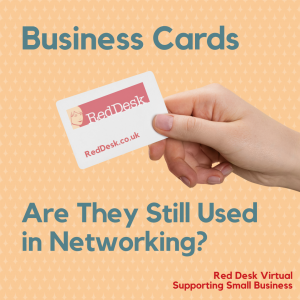
Business Cards – Are They Still Used in Networking?
Business Cards – Are They Still Used in Networking?
A sign that things are going back to normal is that in-person networking events are resuming. It’s been over two years since we’ve been in a room with relative strangers, chatting about our businesses. One thing we did notice a change in, and that is a lack of business cards being passed around. So how do you connect with people if business cards are out of favour?
If you have the LinkedIn app on your phone then you can easily connect with other members by using your own unique QR code. So, before you head out to the next networking event, make sure you download the most current version of the LinkedIn mobile app.
To find your QR code:
- Open the app
- Tap the QR code in the search bar which is located at the top of the screen
- Locate the My Code tab and find your QR code
- You can either share the code via message, email etc or save it to photos
If you want to connect with someone else, you will need to either receive their QR code as detailed above, or:
- Open the LinkedIn app
- Tap the QR code in the search bar
- Tap the scan tab
- Hold your phone over the QR code of the LinkedIn member you’d like to connect with
Another way to connect is to follow your new connections on Instagram. Although many of us use Instagram for personal use, you may want to set up a business account for your business connections. Make sure your account is up-to-date and that you can access it via your phone! You can then follow up with your new connections in your own time. The Undercover Recruiter has some other ideas of how to use Instagram as a networking tool.
Facebook Groups
The networking event that we attended was organised by a Facebook group that we are part of. Providing you remember the names of the people you spoke to, it should be a lot easier to search either in the comments of any networking posts or in the search bar at the top of the group page. You can probably also connect with the organiser to see if they can help too.
 Digital Business Cards
According to Hi Hello, digital business cards will be used at networking events in 2022. HiHello is a digital business card app which can be used to create free online business cards and allow you to swap details with others. Once you’ve created the cards, you can share them via QR code, link, email or text message.
There are many digital business card apps out there, here are 9 more!
Design Your Own Business Cards
If you still like to stay traditional and hand out business cards, then why not take matters into your own hands and design your own. We’ve been using Canva for our graphic design for a while and they have a dedicated section on designing your own business card.
So there you have it, 5 ways to swap details at networking events! Get out there and let us know how you get on. Twitter: @RedDeskVirtual Instagram: @reddeskvirtual Facebook: @RedDeskVirtual
Get In Touch
Making Social Media Design More Inclusive
Making Social Media Design More Inclusive
What does Inclusivity mean in terms of Social Media?
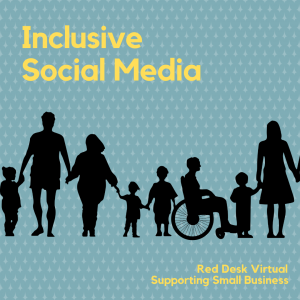
Finding ways to make content visually diverse and physically accessible. Viewers want to access content and will engage more if they see themselves represented in it. By having inclusive social media, it demonstrates responsible social media.
Dove work hard to promote beauty inclusiveness for all women in their Dove Real Beauty Pledge. However, what does inclusivity mean in terms of design?
 How to make your Social Media Design more Inclusive
Dove’s strategy is just one way to make your social media more inclusive. However, there are many other ways to get your message across to different demographics such as age, gender, language and ability.
We will look at several ways to capture inclusivity by way of social media design. Inclusive design provides the best user experience for as many people possible. Providing inclusive design provides a variety of ways for users to engage with your brand and content.
4 Ways to Make Your Social Media Design Inclusive
- Text – Text should be accessible by using plain language to get your point across, limiting the use of capitals within sentences (ie DON’T WRITE IT ALL LIKE THIS), but do use capitals in hashtag phrases (ie #BlackLivesMatter) as it makes it more legible. Also, by putting hashtags and mentions at the end of your post keeps it neat and tidy
- Alt-Images – These alternative text fields (available in Facebook, Twitter, Instagram and LinkedIn) allow you to write descriptions of the images for people to visualize these when they can’t see them. Some tips include:
- Describing the content. Instead of saying “image of a tree”, expand to “a willow tree blowing in the wind”
- Don’t bother saying “image of” or “picture of” as it is obvious it is a visual if someone has clicked on it
- Is colour key to the image? Mention this in the description
- If the image is humorous, let the reader know why!
- If the image contains an important phrase or slogan, transcribe this
- It’s not just images, you can do this on GIFS too
- Captioning – Captions on videos not only help draw in viewers with hearing impairments but also those learning the language and viewers watching with the sound off. If you upload video clips to social media, try to include closed captions. For many of the social media platforms such you can write, transcribe and upload these yourself but Facebook Live and IGTV also provide Automatic closed captioning. Also, consider sections of video that don’t contain dialogue, how will you describe what is happening? You could try descriptive audio, descriptive transcript or live video transcribed.
- Colour Contrast – Think about colour contrast on your website and social media posts. Green/red or blue/yellow combinations are difficult to read. Think about where you put text on an image as the two can often fight for attention – either use a solid background or opaque overlay
Remember that if this isn’t your area of expertise, to listen to feedback from your social media community. Taking on board and reacting positively to feedback to improve your social media offerings can only be a good thing.
Get In Touch
No Results Found
The page you requested could not be found. Try refining your search, or use the navigation above to locate the post.