
Blog
Ways to BackUp Your WordPress Website
Ways to BackUp Your WordPress Website
We’ve recently been in discussion with a few small businesses regarding their WordPress websites and some maintenance tasks. We  thought we’d share our insights with you in this article.
WordPress Plugins for Backup
The simplest way to backup your website is via a plugin. This means that your website can be completely restored if something goes wrong: if you delete something, a theme or other plugin harms your site or you get hacked.
UpdraftPlus seems to be a popular option for backing up WordPress sites. In fact, it is the world’s highest ranking and most popular scheduled backup plugin, with over three million websites currently using it. You can backup your files and databases to the cloud (Dropbox, Google Drive and more). Reassuringly you can also restore to a previous version in case you update a bad plugin or your website gets hacked. It’s pretty simple: Install UpdraftPlus and activate it, in settings go to the UpdraftPlus tab, click backup now. This plugin is free, although a premium paid-for version is available for more advanced functions.
Other WordPress backup plugins include Jetpack and BackWpup. Do your research and see what others favour.
Website Host Backups
As part of your webhosting service, your website should be backed up. Depending on the webhost and package you opt for, the options will vary from backups of 6 days data for recovery at various restoration points during this period to daily backups that the webhosting company will hold up to a month. SiteGround is a popular choice.
Manual backup
If you feel that a manual, hands-on approach is more dependable then you will need to log into your C-Panel (ask your web developer for the login details and how to access this). Under files, select file manager and find the public_html folder in the left-hand panel, expand it and select the folder with your website’s name on it. Right click and compress, select Zip archive and compress files. You’ll now be able to download this to a secure location of your choice.
The advantages of backing up the website yourself is that you will always have the latest version to hand. The disadvantages are that it just takes so long!
Red Desk’s advice
It is advisable to ensure your website is backed up multiple ways so restoration can be guaranteed. Therefore, check your webhost does back your site, how long they keep the files and how to access them if you need them. Also pick a plugin you are comfortable with (or manual backup if you fancy it) for those times when you need to restore your website to a point before the earliest website backup.
You might also be interested in our article “A Guide To Webhosting”.
Red Desk can provide website services from maintenance through to content writing and social media management. If you would like to know more then please get in touch with mel@reddesk.co.uk
Get In Touch
Three Alternatives to Twitter
Three Alternatives to Twitter
So, Elon Musk has bought Twitter and not everyone is happy about it. During his first days in-charge he made half the workforce redundant 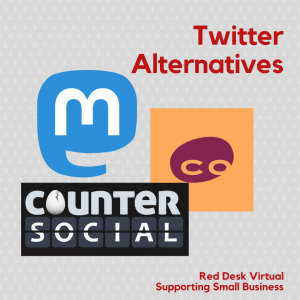 and brought in some rules which some consider “not fair”. If you are thinking of leaving Twitter then what are the alternatives?
Mastodon
This is the one that everyone seems to be talking about, Mastodon, is free open-source software and is a relatively new social media platform that was released in 2016. Similar to Twitter, you can micro-blog but with 500 text-based characters over Twitter’s 280-character limit. You will be able to create a profile, follow accounts and have followers, write “toots” (instead of tweets) etc but these are spread throughout Mastodon. Oh, and you need to select a server / community to join. It’s worth keeping an eye on!
Cohost
This social media platform is even newer than Mastodon, so new in fact that it is in Beta version. Cohost’s strapline is: posting, but better. Unlike many of the top social media platforms, this one has done away with algorithm so your posts stay in the order you post them. They are focused on posts rather than advertising. Lots of exciting things to come as they develop this site including ways of finding new things, on-site tip jar and getting users’ input.
CounterSocial
CounterSocial looks like the Twitter of the future with lots of mention of Virtual Reality. This “Next-Gen” Social Media site states that it has no trolls, no ads, no fake news and no foreign influence ops. It’s like a virtual dashboard where you can pin columns that are relevant to you, create your own “watch-lists” of users or topics. In terms of “something different”, they have a Virtual Reality section called CounterSocial Realms where you can create or use public or private rooms / spaces to meet up for a VR-film night or a poker night.
Red Desk thoughts
Although nothing is going to be exactly the same as Twitter, it is worth keeping an eye on where your target audience might be headed. Mastodon currently sounds quite complicated. Cohost sounds interesting but we might wait until they are more established. CounterSocial appears to be the easiest site in terms of usability and we’re keeping an eye on the VR section as that may be the way ahead in terms of social media content.
Red Desk provides social media management to small businesses. If you would like a social media review then please get in touch with mel@reddesk.co.uk
Get In Touch
No Results Found
The page you requested could not be found. Try refining your search, or use the navigation above to locate the post.