
Blog
The Simple Way to Organise ChatGPT for Your Business and Clients
The Simple Way to Organise ChatGPT for Your Business and Clients
If you’re using ChatGPT in your business, it can quickly become one of your most valuable tools.
But without a clear system, it can also become messy, repetitive and time-consuming.
Many small business owners use ChatGPT for:
- writing content
- managing social media
- drafting emails
- planning marketing
Yet they often treat it like a search tool rather than a structured workspace.
In this guide, you’ll learn how to organise ChatGPT for your business and clients, so you can save time, improve consistency and get better results from every prompt.
Why Organising ChatGPT Is Essential for Small Businesses
When ChatGPT is unorganised, you may find yourself:
- repeating instructions
- losing useful prompts
- mixing client work together
- starting from scratch each time
This leads to inefficiency and inconsistent outputs.
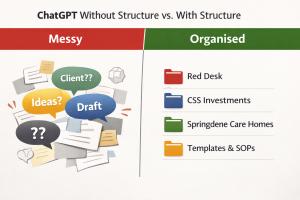 When organised properly, ChatGPT becomes:
- a content creation hub
- a client workspace
- a marketing assistant
- a central system for ideas and planning
Organising your chats allows you to build context over time, which improves the quality of responses and reduces the time you spend rewriting or explaining tasks.
Step 1 – Create One Chat Per Client
The simplest and most effective way to organise ChatGPT is to create one dedicated chat per client.
For example:
- Red Desk
- CSS Investments
- Springdene Care Homes
- Elite Shutters & Blinds
Use each chat only for that client’s:
- social media posts
- SEO blogs
- Google Business content
- emails and communication
- marketing strategy
This ensures:
- consistent tone and messaging
- better understanding of the client over time
- faster content creation
👉 This is one of the most effective ways to use ChatGPT for client work.
Step 2 – Create Dedicated Chats for Your Own Business
Alongside client chats, you should also organise ChatGPT for your own business.
Create chats such as:
- Red Desk – Marketing & Content
- Templates & SOPs
- Ideas & Brainstorming
- Training & Learning
These can be used for:
- blog writing
- service development
- reusable templates
- learning and notes
This keeps your internal work separate from client work, making everything easier to manage.
Step 3 – Use a Chat Structure (Don’t Mix Topics)
To get the best results from ChatGPT, each chat should have a clear purpose.
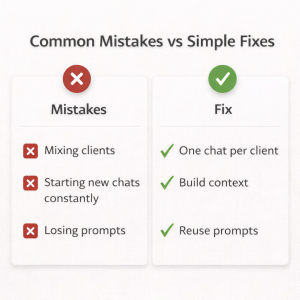 Use each chat for:
- one client or one topic
- ongoing work
- building context over time
Avoid:
- mixing multiple clients in one chat
- switching between unrelated tasks
- using one chat for everything
Search engines and AI tools favour clear, structured content. The same principle applies here.
👉 The clearer your structure, the better your outputs.
Step 4 – Pin Your Most Important Chats
Once your chats are set up, pin the ones you use most often.
For example:
- key clients
- your Red Desk workspace
- Templates & SOPs
This allows you to:
- access them quickly
- stay focused
- avoid scrolling through old chats
It’s a small step that makes a big difference to your daily workflow.
Step 5 – Create a Prompt Library for Reuse
If you regularly create content, a prompt library is essential.
You can store prompts:
- in a dedicated ChatGPT chat
- or in a separate document
Examples include:
- SEO blog prompts
- social media templates
- keyword research prompts
- Google Business post structures
This allows you to:
- work faster
- maintain consistency
- scale your output across multiple clients
👉 This is especially useful for virtual assistants, marketers and small business owners managing multiple accounts.
Step 6 – Turn ChatGPT Into a Marketing System
Once organised, ChatGPT becomes more than a tool. It becomes a system.
You can use it to:
- write SEO-optimised blog content
- create social media posts (Facebook, Instagram, X, Google Business)
- plan content calendars
- draft client communications
- build marketing strategies
Because each chat retains context, your content becomes:
- more relevant
- more consistent
- faster to produce
This is where ChatGPT becomes a real business asset.
A Simple ChatGPT Setup You Can Copy
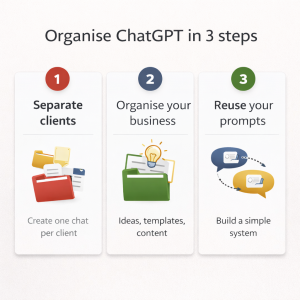 If you’re starting from scratch, here’s a simple structure:
- Red Desk – Marketing & Content
- [Client Name] – Ongoing Work (one per client)
- Templates & SOPs
- Ideas & Brainstorming
- General Questions
This setup is:
- easy to maintain
- scalable as your business grows
- suitable for any service-based business
Final Thoughts: Organise First, Then Scale
The most effective way to use ChatGPT for your business is not by writing better prompts.
It’s by creating a clear structure first.
Once your chats are organised, everything else becomes easier:
- content creation
- SEO
- social media
- client work
If you take just 10–15 minutes to set this up, you can save hours every week and improve the quality of your output.
Need Help Organising Your Marketing Systems?
At Red Desk, I support small businesses with:
- SEO and content creation
- social media management
- Google Business optimisation
- marketing strategy
If you’d like help organising your systems and improving your visibility online, feel free to get in touch.
Get In Touch
Should You Boost Posts or Run Ads? A Simple Guide for Small Businesses
Should You Boost Posts or Run Ads? A Simple Guide for Small Businesses
If you’ve ever clicked the “Boost Post” button on Facebook or Instagram, you’re not alone.
It’s quick, it’s easy, and it promises to get your business in front of more people. But is it actually the best way to spend your money?
This is one of the most common questions I get from small business owners, and the answer isn’t always obvious.
What Does “Boosting a Post” Actually Mean?
Boosting a post simply means paying to show an existing post to more people.
You choose:
- a budget
- a timeframe
- a general audience
…and Meta does the rest.
Why Boosting Feels So Easy
Boosting is designed to be simple:
- one click from your page
- minimal setup
- no technical knowledge required
That’s why so many businesses start here.
What’s the Difference Between Boosting and Running Ads?
Running ads through Meta Ads Manager gives you far more control.
With ads, you can:
- target specific audiences (location, interests, behaviours)
- choose a clear objective (e.g. enquiries, website clicks, messages)
- test different versions of ads
- optimise performance over time
👉 In simple terms:
Boosting shows your post to more people.
Ads show your content to the right people.
When Boosting Can Work Well
Boosting isn’t wrong, it just has a specific use.
Short-term promotion
Boosting can work well if you’re promoting something happening soon, for example:
- an open day
- a local event
- a limited-time offer
In this case, the goal is simple:
👉 get as many local people to see it as possible
Getting started with visibility
If your page is new and has very few followers, boosting can help:
- increase visibility
- get initial engagement
- build a small base of followers
It’s a quick way to get things moving.
Where Boosting Falls Short
The problem is when boosting is used as a long-term strategy.
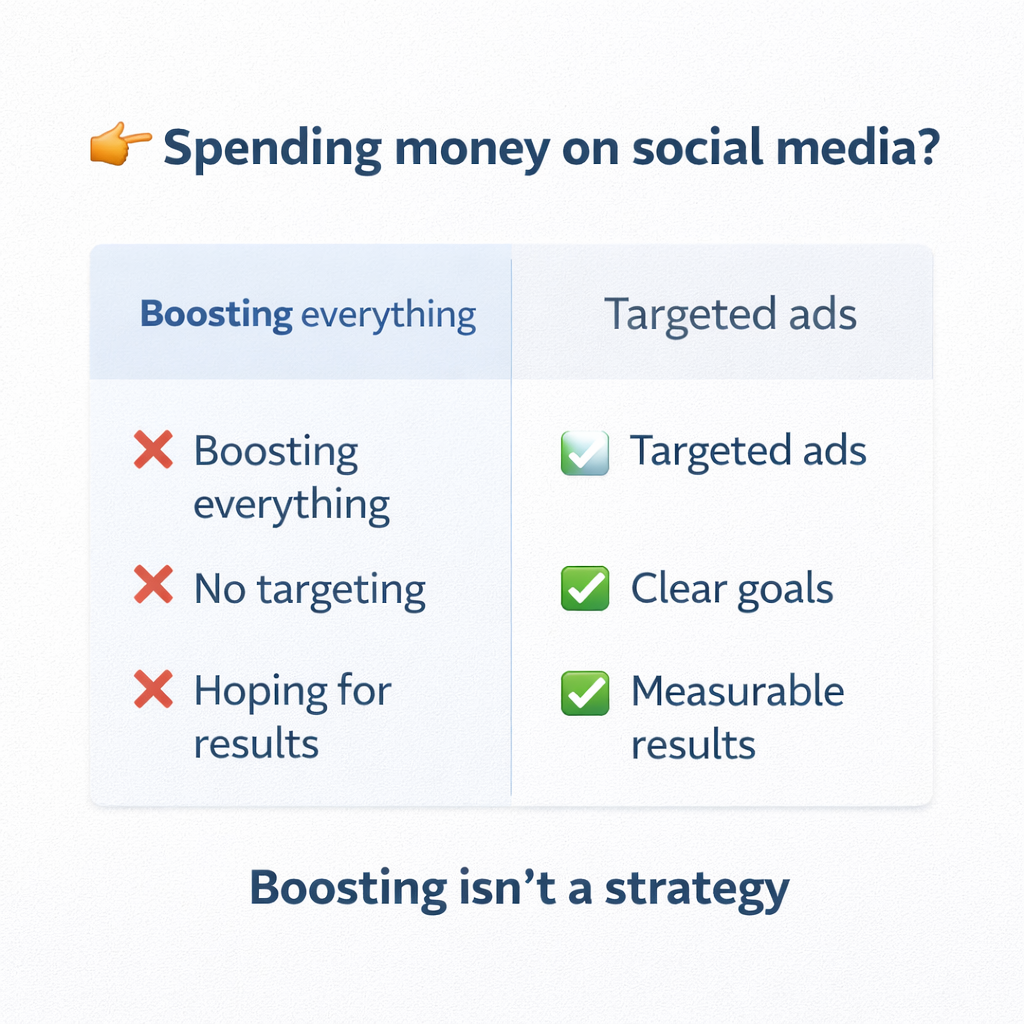
You’re paying for reach, not results
Boosting focuses on:
- how many people see your post
But not:
- who they are
- what they do next
Limited targeting
You can choose basic options like:
- location
- age
- interests
But you don’t get the same level of precision as Ads Manager.
No real optimisation
With boosting:
- you can’t properly test different audiences
- you can’t refine based on performance
- you’re not guiding the outcome
👉 Which means over time, it can become inefficient and expensive
A Real-World Example
I’ve recently been in discussions with a client about the best way to attract new people to their classes.
As with many small businesses, the question wasn’t just what to post, but how to get it in front of the right audience.
Depending on budget and timeframes, the approach we’re taking is a mix of both boosting and advertising.
For example:
- Boosting can work well for something very short-term, such as promoting an upcoming open day. The goal here is to quickly increase visibility within the local area and make as many people aware of the event as possible.
- Running ads is better suited to ongoing activity, such as attracting new members or promoting an offer like a free first month. This allows us to target the right audience more precisely and focus on generating enquiries over time.
👉 Boosting supports short-term visibility
👉 Ads support longer-term growth and results
Using a combination of both ensures the budget is used in the most effective way, depending on what the business is trying to achieve.
Boosting vs Ads – A Simple Comparison
| Feature | Boosting | Ads Manager |
| Setup | Very easy | More detailed |
| Targeting | Basic | Advanced |
| Objective | Limited | Full control |
| Performance | Variable | Optimised |
| Best for | Awareness | Growth & results |
A Simple Budget Example
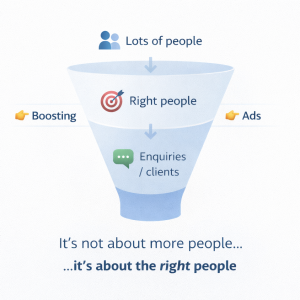
Let’s say you spend:
£3 per day (Boosting)
- your post is shown to more people
- but not necessarily the right people
£10 per day (Ads Manager)
- your content is shown to a more relevant audience
- you’re more likely to get:
- enquiries
- clicks
- sign-ups
👉 The extra spend doesn’t just increase reach
👉 It improves the quality of who sees your content
So, Which Should You Choose?
Use boosting if:
- you want quick visibility
- you’re promoting something short-term
- your budget is very limited
Use ads if:
- you want consistent enquiries
- you want to grow your business
- you want better return on your spend
Final Thoughts
Boosting is a useful tool, but it’s not a strategy.
If you want long-term results from social media, you need to move beyond the boost button and start thinking about:
- who you’re targeting
- what you want them to do
- how you measure success
That’s where proper advertising comes in.
If you’d like help setting up ads properly or understanding what might work best for your business, feel free to get in touch.
Get In Touch
What to Do Before You Spend £1 on Google or Meta Ads
If you’re a small business owner in say Buckinghamshire or North London, you’ve probably asked yourself: “Should I run Google Ads or Meta Ads?” But there’s an even more important question. What should you fix before you spend a single pound? At Red Desk, we support...
Google Ads vs Meta Ads: Which Is Right for Your Business?
If you’re a small business owner thinking about paid advertising, you’ve probably come across Google Ads and Meta Ads and wondered which one you should be using, or whether you need both. The short answer is: there isn’t a “better” platform. There is only the platform...

From Book to Bestseller: How a Virtual Assistant Supports Authors After Publication
Finishing a book feels like crossing a finish line. In reality, it’s only the halfway point. Once the manuscript is complete, most authors are suddenly faced with a mountain of tasks they never expected. Launch plans, social media, press outreach, podcast pitches, ad...
Why Remote Property Management Matters – and What Good Landlord Support Should Look Like
Managing rental properties has never been more complex. From compliance requirements and maintenance issues to tenant communications and dealing with arrears, private landlords often face a heavy workload. That’s why many are turning to professional support - even if...

How to Tidy Dropbox Without Breaking Anything: The Shortcut + Archive Method for Busy Businesses
When you’re juggling tenants and contractors, fundraising campaigns, board papers, social media content, or client projects, your Dropbox can go from “organised system” to “digital avalanche” surprisingly quickly. Virtual Assistants see this a lot - not because people...
How a Virtual Assistant Can Strengthen Your Google Brand Profile and Boost Online Authority
When people search for your organisation, do they find the right information straight away or a scattered mix of links and outdated details? That’s where your Google Brand Profile comes in. It’s the box that appears on the right-hand side of Google Search when someone...

5 Ways a Virtual Assistant Can Strengthen Your Organisation’s Communications
In every organisation, communication sits at the heart of how things get done. Whether it’s keeping staff informed, responding to clients, updating supporters, or sharing good news stories online, clear communication makes a world of difference. Yet for many small and...
Shopify vs WooCommerce: Choosing the Best Platform for SEO & Sales
What every small business owner needs to know before picking a platform Why Your E-commerce Platform Matters Your e-commerce platform is more than just a shop front — it’s the engine that powers your online visibility. At Red Desk, we work with small business owners...
Want to Be Found on Google? Connect Your Shopify or WooCommerce Store Today
If you're running an online shop using Shopify or WooCommerce, being visible on Google is no longer optional - it’s essential. While social media can help build community and drive engagement, Google is still the go-to place for product discovery. As a Virtual...

Want More Sales? Use Social Media to Showcase Your Products Like a Pro
Running an online shop through Shopify or WooCommerce? Whether you're selling handcrafted jewellery, eco-friendly skincare, or curated gift boxes, social media is your shop window to the world. As a Virtual Assistant based in Wendover near Aylesbury, Buckinghamshire,...