
Blog
How a Virtual Assistant Can Strengthen Your Google Brand Profile and Boost Online Authority
How a Virtual Assistant Can Strengthen Your Google Brand Profile and Boost Online Authority
When people search for your organisation, do they find the right information straight away or a scattered mix of links and outdated details? That’s where your Google Brand Profile comes in.
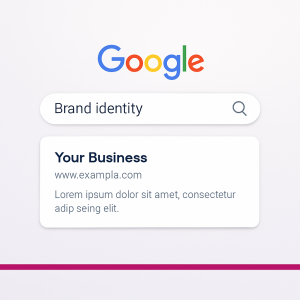
It’s the box that appears on the right-hand side of Google Search when someone looks for your business name, showing your logo, website, social media links, and other verified brand information. Getting it right helps you own your online identity, especially as Google and AI search tools increasingly rely on brand signals to decide what (and who) to show.
What We Did for Cambridge Sock Company
At Red Desk, we recently supported The Cambridge Sock Company in strengthening their Google Brand Profile.
Their information appeared online, but it wasn’t consistent – Google wasn’t always pulling the correct logo, and some older data sources were confusing the algorithm. We helped by:
- Aligning their brand data across platforms (Shopify, Meta, and Google).
- Updating their brand logo, description, and links so everything matched across Google Search and Knowledge Graph sources.
- Ensuring their Google Merchant Centre and Business Profile worked together under the same verified brand entity.
- Adding structured data markup (through Shopify settings and meta tags) so Google could connect the dots between their site, products, and brand identity.
This made their brand appear more authoritative online – when someone searched Cambridge Sock Company, the results now consistently displayed their correct logo, shop link, and social profiles, creating a cohesive presence that AI search tools trust.
Why a Google Brand Profile Matters
A Google Brand Profile isn’t just for big companies. It’s becoming essential for small businesses, charities, and professionals who want to be clearly identified and trusted online.
Here’s why it matters:
- ✅ It verifies your organisation as a real, credible entity, which helps with Google Search and AI-generated results.
- 🔗 It connects your website, social media, and Google listings into one consistent profile.
- 🧠 It feeds data into Google’s Knowledge Graph, meaning your name, logo, and content are more likely to appear in AI summaries and voice search results.
- 💬 It helps people find the official version of your business information – rather than a competitor, aggregator, or old listing.
 Who Can Have a Google Brand Profile?
While most businesses already have a Google Business Profile for local search, not all automatically have a Brand Profile.
A Business Profile (managed through Google Maps) focuses on practical details like opening hours, reviews, and directions – perfect for local visibility.
A Brand Profile, however, is broader. It appears when Google recognises your organisation as a verified entity, not just a physical place. This profile pulls data from multiple trusted sources to display your logo, website, and social channels directly in Google Search.
The good news? Any organisation can work towards earning one. By aligning your online data, claiming your profiles, and verifying your brand identity, you can strengthen your presence across Google and AI search.
At Red Desk, we help small businesses, landlords, and charities bridge that gap by managing both sides – your Business Profile for local visibility and your Brand Profile for authority.
How Red Desk Can Help
Managing your brand profile can be fiddly – it involves multiple accounts, data checks, and ongoing maintenance. A Virtual Assistant can take this off your plate by:
- Verifying your Google Brand Profile and linking it with your website and social media pages.
- Monitoring and correcting entity data to ensure Google consistently displays the right brand details.
- Writing keyword-friendly brand descriptions and FAQs that improve your visibility in search and AI tools.
- Coordinating updates across your Business Profile, Merchant Centre, and YouTube channel to maintain brand alignment.
- Tracking search visibility and suggesting small, ongoing improvements that keep your brand appearing polished and professional.
This is particularly useful for:
- 🏠 Landlords and property managers, ensuring brand or trading name consistency across listings and directories.
- ❤️ Charities and not-for-profits, confirming that their verified name and logo appear when supporters or funders search.
- 🏢 Local businesses, from care homes to retailers, who want their verified brand panel to appear clearly and attract trust online.
Why It’s Key for AI Search
As Google’s Search Generative Experience (SGE) evolves, structured brand data is becoming one of the most valuable digital assets a small business can have. When someone types or asks, “Who runs Red Desk?” or “What is The Cambridge Sock Company known for?”, Google’s AI will draw directly from brand profile data – not just websites or ads.
Keeping that information accurate and unified ensures your brand is recognised as the official source, not left out of AI summaries or misrepresented online.
Need a Hand Getting Your Brand Verified?
Whether you run a small business, charity, or property portfolio, Red Desk can help you take control of your Google presence.
We’ll tidy up your digital footprint, connect your brand profiles, and make sure Google – and your customers – see the right version of your business.
Get in touch today to find out how we can make your brand stand out on Google and in AI-powered search.
Get In Touch
5 Ways a Virtual Assistant Can Strengthen Your Organisation’s Communications
5 Ways a Virtual Assistant Can Strengthen Your Organisation’s Communications
In every organisation, communication sits at the heart of how things get done. Whether it’s keeping staff informed, responding to clients, updating supporters, or sharing good news stories online, clear communication makes a world of difference.
Yet for many small and medium-sized organisations – including charities, not-for-profits, property management firms and SMEs – communications can easily slip down the list when time and resources are stretched.
That’s where a Virtual Assistant (VA) can make all the difference. A good VA provides structure, consistency and a calm point of contact. They help messages flow smoothly between people and systems, ensuring nothing gets missed and your organisation stays responsive and professional.
Here are five ways a Virtual Assistant can strengthen your communications.
 1 Keeping Your Messaging Consistent
In busy organisations, different people often contribute to emails, newsletters and social media posts. Without coordination, the tone or message can start to vary.
A VA helps maintain consistency – using your brand voice and agreed style across all channels, from newsletters to website updates. They can keep your messaging aligned so every interaction feels professional and on-brand.
For charities and not-for-profits, this can mean ensuring public communications reflect your values and mission. For SMEs, it helps build trust and professionalism with clients and suppliers without needing a full-time comms role.
 2 Acting as the Bridge Between Teams and Partners
A VA often becomes the bridge that connects the moving parts of your organisation.
For property clients, that might mean acting as a communication link between a telephone answering service, contractors and tenants – ensuring that repair updates or maintenance messages reach the right people at the right time.
In charities and not-for-profits, a VA can coordinate between teams, volunteers and service users, keeping updates timely and accurate. By managing communication threads, they prevent crossed wires and missed follow-ups – vital when you’re supporting multiple stakeholders.
 3 Managing Day-to-Day Communications Channels
From inbox management to posting on social media or updating website pages, a VA keeps the daily flow of communication organised.
For not-for-profits, this can mean handling supporter enquiries or responding to questions about events and campaigns. For SMEs, it ensures clients receive prompt, professional replies even when the core team is focused elsewhere.
This support gives internal staff more breathing space, while keeping your external presence polished and consistent.
 4 Supporting Campaigns and Community Engagement
Many organisations find it challenging to keep up with campaign communications or social engagement once the initial energy wears off. A VA can help keep that momentum going.
For charities, this might include drafting posts about community projects or success stories, preparing newsletters, or coordinating social updates around awareness days.
In property and SME settings, it could mean communicating updates about works, local events, or new services – ensuring information is shared clearly and regularly with customers or residents.
A VA becomes an extra pair of hands (and eyes) to make sure your campaigns run smoothly from planning to follow-up.
 5 Turning Information into Action
One of the biggest communication gaps happens after a meeting or discussion – when actions get lost in emails or everyone assumes someone else is handling it.
A VA closes that loop by turning meeting notes into clear action points, tracking follow-ups, and ensuring outcomes are recorded. They bring accountability and clarity, turning communication into progress.
This is particularly useful for boards, leadership teams or multi-site organisations, where updates need to be accurate and timely.
The Results
Bringing a Virtual Assistant into your communications process creates smoother internal coordination, stronger external relationships and more confident, consistent messaging. It means your team can focus on their core work, knowing that responses, updates and outreach are being handled professionally in the background.
Good communication isn’t about sending more messages – it’s about sending the right ones at the right time.
Ready to Strengthen Your Communications?
Red Desk provides flexible, affordable communications support for charities, not-for-profits, property management firms and SMEs. Whether you need help managing inboxes, coordinating campaigns, or improving consistency across your communications, we can help your organisation run more smoothly.
Get in touch to discuss how Virtual Assistant support can make a difference to your communications.
Get In Touch

Three Ways a Virtual Assistant Can Help a Charity
We’ve recently started working with a new charity client. This has got us thinking about the services that we can offer charities and these are our top three ways a Virtual Assistant can help a charity: Project Work If your charity has been awarded a grant or...

Tips on Writing a Press Release
Our many years of local event organisation came in handy recently when we were asked to help out with some extra marketing for a new client. One thing about organising markets, festivals and Christmas lights switch-ons, is that you get to pitch in with all sorts of...

How to create clickable links in Instagram
As of April 2024, there are over 2 billion active users on Instagram. In fact, according to Similarweb’s global ranking of websites, Instagram is the fifth most visited website globally. Therefore, it makes sense to market your business or product on Instagram. Many...

Get Your Bespoke Privacy Notice for Your Small Business Today
The Information Commissioner’s Office (ICO) has launched a privacy notice generator which allows you to create a bespoke privacy notice for your business in under 15 minutes. Why do I need a privacy notice? A privacy notice will let people know what information...

Online Reputation Management
As a business owner, you need to consider your online presence: what messages are you conveying, how do customers view your brand and what are the reviews saying about your service or products? If you are struggling to keep on top of this, perhaps it is time for a...

How to Restrict Who Comments on Your Social Media Posts
There will be times when rather than encouraging people to comment on your social media posts, you need to restrict or ensure no comments can be posted at all. This could be for a number of reasons such as the posts are purely announcements or if they could provoke...

How Virtual Assistants Are THE Small Business Support Solution
If you are running a small business, sometimes you need an extra pair of hands. If you don’t have enough work to employ a new team member full or even part-time, why not think about hiring a Virtual Assistant. We are THE Small Business Support Solution. Read on to...

How to Set Your Rates as a Virtual Assistant
Whether you have been a Virtual Assistant for over a decade or just starting out, you need to think about how to set your rates. In this article we discuss different charging models, so that you are comfortable in speaking about your fees with prospective clients....

How Virtual Assistants Win Clients
If you are thinking about becoming a Virtual Assistant then one thing you need to understand is how Virtual Assistants win clients. It is very different to applying for an advertised job with a formal interview, often it is just a chat with a prospective client. In...

Best Calendar Apps for Appointment and Meeting Booking
Since I’ve moved out of London, I’m expanding Red Desk’s customer and contact base to Buckinghamshire, where I now live. I’ve been attending a couple of networking groups (shout out to Aylesbury Business Buzz and Aylesbury Business Connected) and I’m booking in...