
Blog
How To Transfer Emails From One Gmail Account To Another
How To Transfer Emails From One Gmail Account To Another
There might be times when you need to close an email account because a member of staff is leaving the business, or you just don’t use the account anymore. If this is the case, and you have all the emails you need, you can just simply close the account and delete any data associated with the account.
However, if you are taking on a new role or you are rebranding and you need the emails, rather than forwarding yourself hundreds of emails, there is another way, and we show you how.
We have picked Gmail here, but the principles can be applied to other email account providers but do check first or consult your IT support company.
The easiest way is a two-step process where you can import all existing emails and then set up forwarding that can be used until the account is closed.
 Import Emails
Sign into the new account where you want to send all the emails to using these processes:
- Settings, all settings, accounts and in the ‘Check email from other accounts’ section, click Add an email account.
- Sign into the other account using email and password. Once you get an “authentication is successful” you can move onto the next step
- Select import options – tick or untick as relevant – then click start import.
Once you do this it could take up to 2 days for the emails to appear.
In the meantime, you can set up email forwarding
Set up Forwarding
- Sign into your old account
- Click the Forwarding and POP/IMAP or Forwarding tab
- Click Add a forwarding address in the “Forwarding” section
- Enter the email address to forward messages to
- Click OK
You might find this Youtube video helpful.
There is also another option which you can use if your emails are archived, or you want to back up your data…
Use Google Takeout
Ever heard of Google Takeout? Us neither. But apparently to transfer archived emails from one Gmail account to another, you can use Google Takeout:
- Go to the Google Takeout website
- Log in to your Google account
- Select mail to transfer to another Gmail account
You can use Google Takeout to download a copy of your data that is stored within Google products, so can be used for photos too, for example.
If you are a small business and need a helping hand, then why not hire a Virtual Assistant? Red Desk Virtual assist small businesses and freelancers with office admin and social media. Get in touch today!
Get In Touch
Things to Consider When Marketing Your Next Event
Things to Consider When Marketing Your Next Event
Red Desk have just finished working with Townsend Rose Productions on marketing their theatre production Learning which was on at the ArtsDepot, North Finchley on 16th and 17th November. After this four-month long marketing project, we are pausing to consider what advice we would give to marketing an event.
Venue
Once the venue has been booked for the event, find out about their marketing department: Who are the key contacts, do they will offer any promotion for the event, and if they do, what are the specifications. It is important to find this out early on, so you know whether they will:
- repost social media posts
- put out social media posts about your event in their socials
- include your event in their next brochure
- promote your event on digital screens or billboards etc
Once you have this information, you can build this into your social media marketing plan.
 Social Media Accounts & Website
If your events aren’t going to be regular, you might find that your social media accounts are pretty much dormant with little or no activity for a few months. You will need to “wake” them up by updating your bios with the latest info (including ticket links) and start interacting with your followers.
If your event is in a different location to the last one then you will need to search for relevant accounts to follow and tag in Instagram or Facebook groups to join. If your event is in the same location then do review the accounts you follow or groups you have joined as there may be more relevant ones that have been created since the last time you checked.
As with your social media accounts, you will need to update your site with photos, information and blogs.
Social Media Marketing
Plan out your social media marketing from as soon as you have been booked, through to the event and a couple of weeks afterwards. Think carefully about the number of hours you offer, as there might be things that crop up unexpectedly like extra tasks. Make sure your client understands that your plans are only a guideline and you will keep them updated if things drastically change.
Here are a few things that we will be implementing again for our next event marketing project:
- Press Release – draft a press release as early as possible, pull together a press list (for publication and attendance) and send this out about 4 – 6 weeks ahead of the event. Follow up with phone calls, DMs etc
- Advertising – ask local press for costings of advertising opportunities and also ensure there is budget to advertise on social media as soon as tickets go on sale
- Competition – boost social media interactions and followers by running a ticket giveaway (we ran a caption competition) 2 – 4 weeks ahead of time and allow it to run for at least a week
- Social Media posts – review the posts you used before, and use these as a basis for your next event’s posts. Vary them (reels, video, static posts) and also use quotes from previous reviews/feedback from your last event.
Red Desk is available to set up social media accounts, provide social media and event marketing and social media training. If you want to chat on how we can support your next event or project, get in touch: mel@reddesk.co.uk.
Get In Touch
Etiquette of Online Business Meetings
In order to keep your business running successfully during lockdown, you will inevitably be holding or be invited to participate in online business meetings. So, what is the etiquette of online business meetings? Best to know what is expected of you from the start....

Lockdown Business Tips
As the business world adjusts to new ways of working remotely, you may find that you have more time on your hands. This is a once in a lifetime opportunity to tackle that to do list or find ways of improving your business. We have a few ideas for you: Budget Your...
Project Management
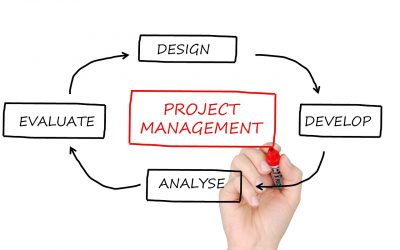
As project managers we work to deliver a project that fulfils our client’s goals and objectives. Within that process there may be the need to adapt the brief in order to fulfil the project within the criteria and time schedule, but always with a full focus on the...

Optimising Images on your Website
Many people don’t realise the importance and potential of optimising the images on your website. There are two aspects to image optimisation: website function and speed, and Search Engine Optimisation or SEO. Each webpage on your site should not be larger than 2MB,...

The Art of Brainstorming
If you’re running a small business you will be carefully planning your every move and without large budgets your scope for risk is reduced – and this is where brainstorming can really help your business. Brainstorming can lead you to ideas that you would never have...

A Year in the Life of a Red Desk VA
2019 is almost at an end so we thought it would be nice to take a look at a year in the life of a Red Desk VA. Red Desk 10In November 2018, Red Desk Virtual celebrated 10 years in business. We did a little retrospective on how Red Desk has developed over the last...

Rebranding: When to Change Your Business Name
Rebranding is a tricky topic, especially when it comes to changing your business name. We’ve been working with a local business for a number of years, and last year they not only relocated but also changed business names. So how do you deal with this from a marketing...

Managing your Workload
There are always going to be times when your work load suddenly escalates. We’ve recently had a very busy time at Red Desk which made us think about the best ways to manage things when your workload is out to get you! Start the day with a plan We always start with a...
When to Change your Social Media Strategy
At Red Desk we know that social media strategies are flexible and should be changed to reflect current trends and algorithms on the various social media platforms. In reality what does this mean? We give two examples of where we have changed social media strategy for...

How long is too long for your social media posts?
We thought we’d put together our thoughts on how long your social media posts should be to gain maximum engagement and reach, here we look at Facebook, Twitter, Instagram, the main platforms we work on. We commonly see incredibly long posts on Facebook and Instagram...