
Blog
Tips for Generating Content for your Blog and Social Media
Tips for Generating Content for your Blog and Social Media
If you write a regular blog for your website then there might be times when you are stumped for inspiration and content. In this article, we’ve got a few tips for generating content for your blog and social media so you’ll never be lacking ideas again.
Content Calendar
When we work with a new social media client, one of the first things we do is to check for relevant social media awareness days which may include Data Privacy Day (28th January), Random Acts of Kindness Day (17th February) or National Creativity Day (30th May). There are lots of websites out there where you can check. Bulldog Digital Media have done the hard work for you and have created a 2024 downloadable holidays calendar. You can then use these holidays as inspiration for social media posts or even an article (better if this is for an awareness month). You can read more in our dedicated article: https://www.reddesk.co.uk/seasonal-content-marketing/
 Guest Posts
If you have discovered a new supplier that you can’t recommend highly enough or if you are collaborating with another business on a project, why not ask them to write a post for your website? You’ll not only get new content but you’ll be able to spread the word about how great they are. Posts we’ve done in the past include:
https://www.reddesk.co.uk/meet-lucys-web-designs/
https://www.reddesk.co.uk/mms-studio-martina-spence-brand-consultation-conscious-marketing/
You may also find that some organisations might approach you about their product or company. If you think it is a good fit, you can incorporate their article and links into your blog. For example:
https://www.reddesk.co.uk/green-web-hosting/
https://www.reddesk.co.uk/guide-to-web-hosting/
News
Do you write a newsletter? Use this content for website blogs or social media posts.
If you are lucky enough to be shortlisted for an award or mentioned in an article then don’t be shy, shout about it! We’re proud that our blog is featured in the UK’s top 50 Virtual Assistant blogs! https://www.reddesk.co.uk/reddesk-va-blog-feedspot-top-50-uk-virtual-assistant-blogs/
Updating Articles
One of the quickest ways to generate new content is to recycle existing articles. It is always important to carry out a content audit of your website as something you referred to 5 years ago may no longer be relevant or even exist. For example, do you remember Google+? We ran developed and ran Google+ training sessions and naturally wrote several articles about this social media platform. Google has closed it down so we took down articles but included some of the content in other articles.
Networking and Clients
When you come up with a particular challenge for your work and you have to research it, share your experiences and learnings in a blog. If you find yourself with a new type of client or offering a new type of service, share this on your social media.
Repurposing Content
In this article we have mainly spoken about inspiration for writing blog posts. However, make sure you use this content for your social media posts too. Repurpose the content so that you can share your learnings, offers or tips. When our new blog is out, we often create a simple post announcing that we’ve published a new article on our website and provide the link.
Still stuck? Red Desk offer a content writing service so whether it is refresh of your website with updated keywords, improving your social media presence with regular posts or creating newsletters to shout about your latest offers, we’re here for you. Do get in touch by emailing mel@reddesk.co.uk.
Get In Touch
What is Linktree?
What is Linktree?
You might have seen Linktree mentioned on websites or social media profiles. Curiosity eventually got the better of us and we clicked and rather than finding an unknown social media platform, we were met with a genius idea. So, what is Linktree and how can I use it for my small business?
What is Linktree?
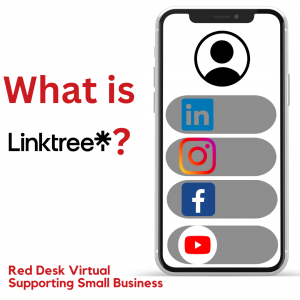 Linktree is a social media reference landing page which allows a company or person to put all their associated links in a personalised and customisable page. Established in 2016, it was developed by an Australian company addressing the frustration that social media platforms rarely allow multiple hyperlinks in profiles and it can be used on platforms like TikTok, Facebook, LinkedIn, Youtube and more. To date, there are over 40 million users. Described as a freemium service, this means Linktree offers a free offering as well as a Pro subscription which gives more benefits.
Freemium vs Pro
There are four plans for Linktree. Try the free version to see how you get on. You can then try the Pro (most popular plan) free for 7 days. This is a basic table showing costs and features available on each plan. There is a more in-depth table which shows all the features here.
| Feature | Free | Starter (£2.50 per month) | Pro (£4 per month) | Premium (£11.50 per month |
| Unlimited links | yes | yes | yes | yes |
| Tip Jar & other monetization support | yes | yes | yes | yes |
| Upgraded style options | no | yes | yes | yes |
| Affiliate marketing tools | no | yes | yes | yes |
| Scheduling | no | yes | yes | yes |
| Advanced customization options | no | no | yes | yes |
| Conversion tracking | no | no | yes | yes |
| Upgraded customer support | no | no | yes | yes |
| Option to hide Linktree logo | no | no | yes | yes |
| Concierge customer support | no | no | no | yes |
| Personalized onboarding & setup | no | no | no | yes |
| Dedicated relationship manager | no | no | no | yes |
| Data export capabilities | no | no | no | yes |
| Exclusive content | no | no | no | yes |
How can I use it for my small business?
Linktree can be used to aid the discovery of your work, brand, or business. You can:
- Create a customised mini-website with ease
- Grow your followers and audience across all the social media platforms that you are on by providing them with one link
- Increase engagement on your content with links that are embedded
- Make money by selling your products, take payments or use the tips jar function
- Build mailing lists or a contact database by collecting visitor email addresses
- Use the analytic tools to see how to grow your followers and business
- Integrate Linktree with any tech you might already use
Follow this link to customise templates specifically designed for small businesses.
Tips
Play about with Linktree. Sign up to a free plan and then make use of the templates (browse and select the relevant category). The blog has lots of useful articles too including:
- Best practice: How to write good link copy
- The best social media tips for small business success
- The best ways to monetize your website and link in bio
You can find more here.
We’d be interested to see your Linktree profiles. Do get in touch with your links by emailing them to mel@reddesk.co.uk.
Get In Touch
Seasonal Content Marketing
Is your marketing seasonal? Do you tie in upcoming festivities with your social media campaigns? At Red Desk, we have several social media clients and we try to keep the content relevant. Have you heard about content calendars? These are shareable resources for...
Red Desk’s basic guide to SEO
Welcome to Red Desk's basic guide to SEO! There are many simple things that you can do to improve your website's ranking and once you've cracked it, you can put these things into practice and gradually improve your ranking. Firstly when adding a new page, make...
Outsourcing and Delegating
Once again we are revisiting a post that first appeared on BeckyBeach.net in June 2012, a time when I was only a few months into my time at Red Desk. Lindsay was busy trying to sort out how best to spend her time and what work to pass onto me. We are now 5 Virtual...
4 tips to deal with negative comments on Social Media
One of our clients was recently faced with some negative comments on social media. Rather than bury their head in the sand, we assisted with tackling the situation head on. However, having not encountered this before, we looked into the best way of approaching this....
Don’t Work Harder, Work Smarter
Have you ever heard the phrase “work smarter, not harder” and wondered what it was all about? At Red Desk, we have been helping companies to work smarter for the past 5 years. Smart working is essentially maximising your time and results with minimum effort; time...
Tools for a retail business and setting up an online shop
I’ve recently been working with a retail client and in doing so have discovered some great tools for running a retail business and setting up an online shop. Firstly, everyone is talking about ‘Pinterest’ a relatively new social media site set up in 2010 that really...
8 tips to help organise your office
It’s almost spring. If you are in a cleaning frenzy, why stop at your home? Take some time to spring clean and help organise your office. We’ve 8 tips to get your office organised. Preparation Before you even start spring cleaning get some boxes, bin bags and a...
Effective Web Searches Using Google
When you’re using Google to find out any kind of research or information, there are several types of web searches you can do to improve your chances of finding exactly what you’re looking for and save yourself a lot of time. Here are some really useful commands....
Business tips: How to use Word templates, PDFs and BCC properly
In this article I want to talk about a few business tips that everyone should know but I’m constantly amazed that so few do. Firstly Word Templates, if you’re a small business owner or freelancer then you will undoubtedly be sending out the same documents on a regular...
What is a Social Media Dashboard?
A social media dashboard allows you to view all your social networks on one page and to post to all of them simultaneously, beyond this basic function there are other features that can help you make the most of your social media. I've concentrated on 3 of the most...